
macOS / BY ALAKAZA
Pagivelle
Less weight. More possibility.
A little PDF toolkit for your Mac. Compress a stack, bring documents together, or keep just the pages you need. New copies, no uploads, and a little less fuss.
 Available on the Mac App Store
macOS 15 Sequoia or later · Apple Silicon & Intel
01 / THE INGREDIENTS
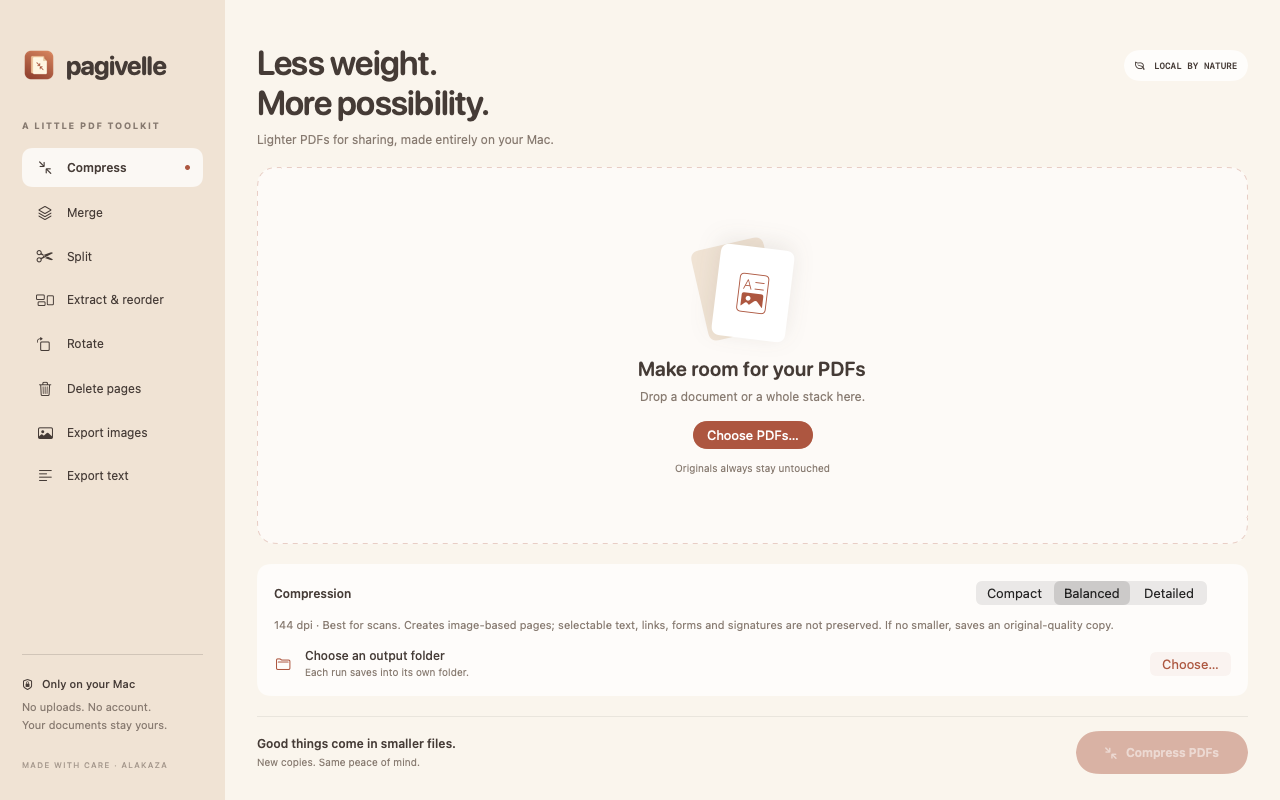
Make a little room.
Compress scans and image-heavy PDFs with Compact, Balanced, or Detailed quality. See the size difference after processing. If the result would be larger, Pagivelle saves an original-quality copy.
02 / THE INGREDIENTS
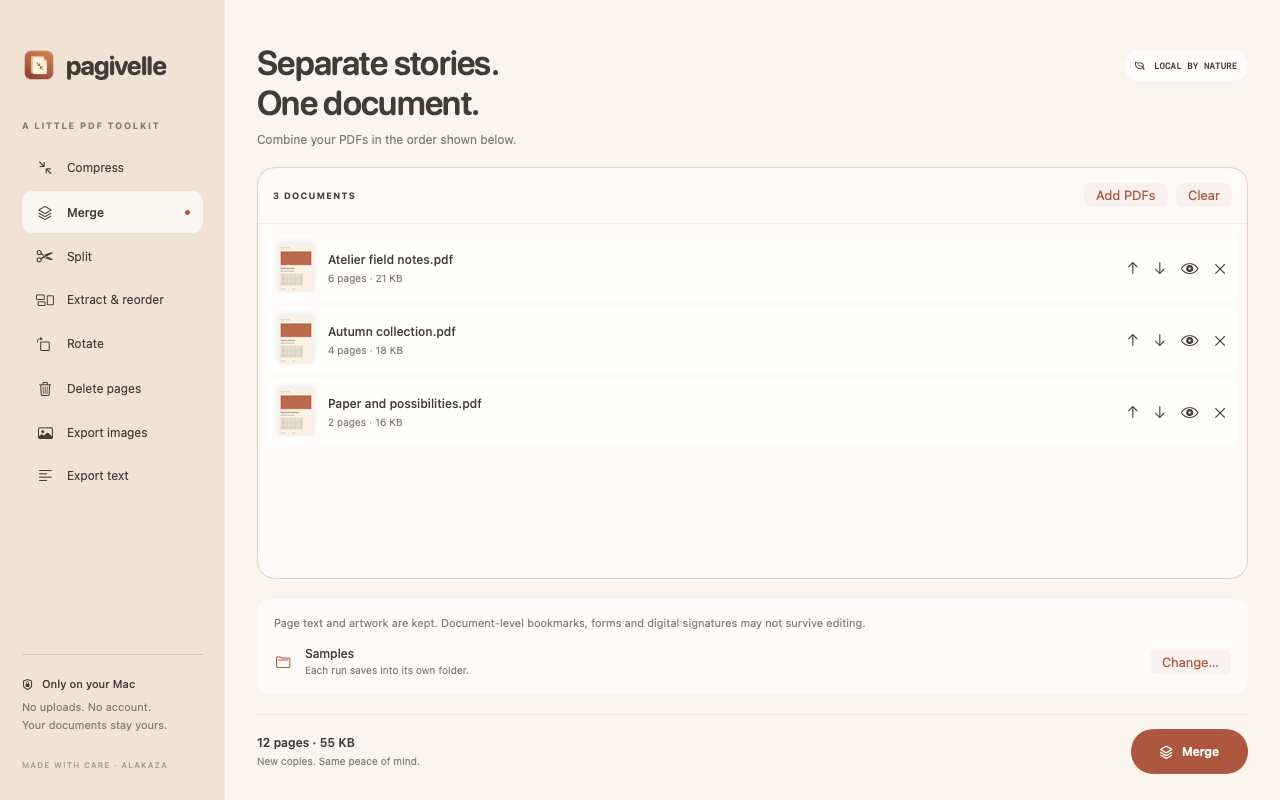
Bring the whole story together.
Merge multiple PDFs into a single document. Move files up or down in the queue to choose the order before saving.
03 / THE INGREDIENTS
Keep what matters.
Delete unwanted pages, extract a selection, or reorder pages with simple ranges. Repeat a page or reverse a range when you need to. Every edit creates a fresh copy.
04 / THE INGREDIENTS
Give every page its place.
Split a document into one PDF per page, or rotate selected pages by 90, 180, or 270 degrees.
05 / THE INGREDIENTS
Take it off the page.
Export pages as PNG images or save existing selectable text to a plain-text file. Preview your PDF before processing, then open the result or reveal it in Finder.
06 / THE INGREDIENTS
Your documents stay yours.
Processing happens locally using native macOS tools. No account, upload service, advertising, analytics, or subscription. Originals stay untouched.
HERE WHEN YOU NEED A HAND