
macOS / BY ALAKAZA
Captrille
Every detail. Every sound.
Keep your screen, your voice, and what’s playing on your Mac together. Choose a display or window, select your audio sources, and save a ready-to-share MP4—all on your Mac.
 Available on the Mac App Store
macOS 15 Sequoia or later
01 / THE INGREDIENTS
Choose your canvas.
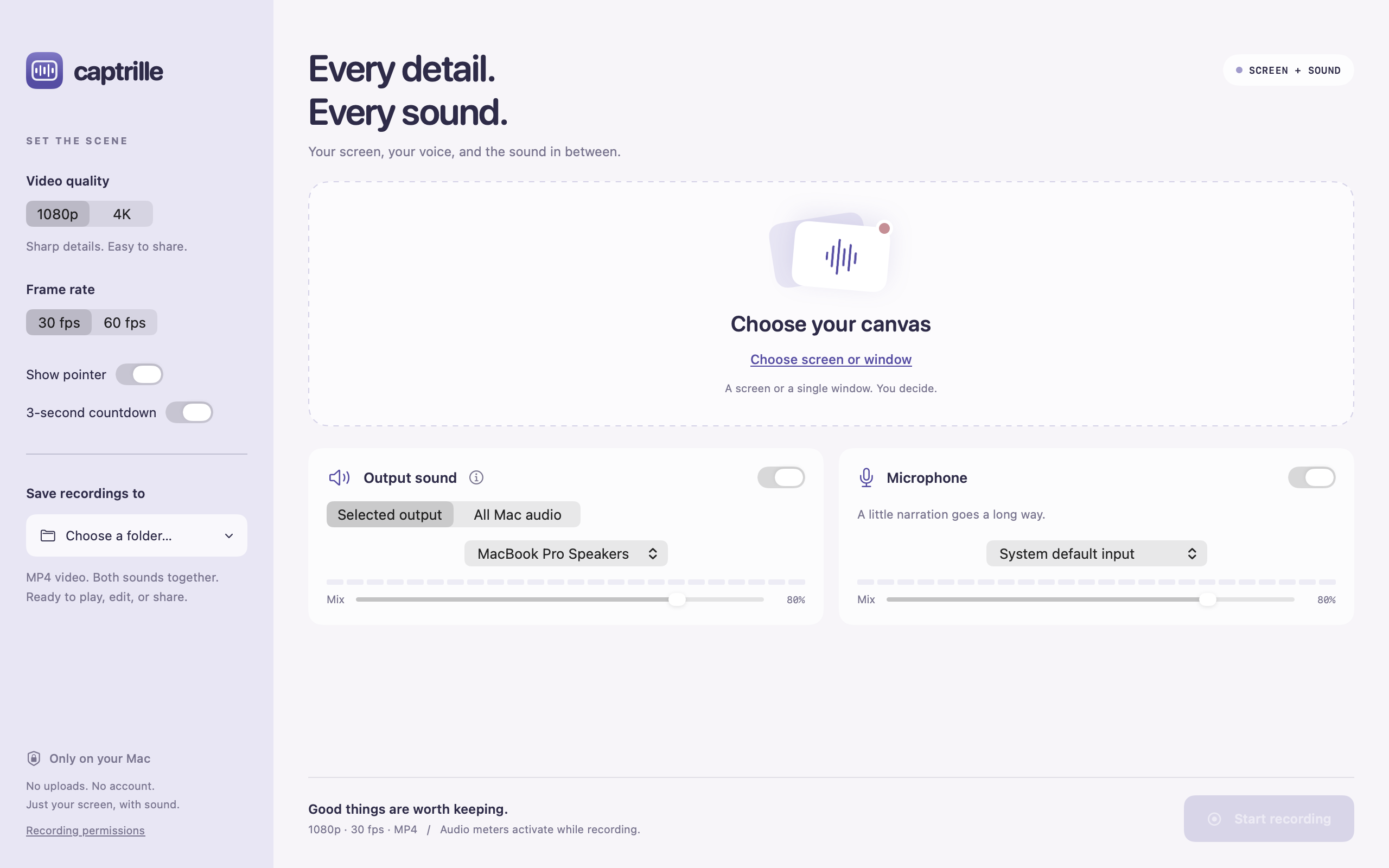
Record an entire display or one window with the macOS sharing picker. Choose up to 1080p or 4K, 30 or 60 fps, and whether to include the pointer.
02 / THE INGREDIENTS
Keep the sound in the picture.
Capture the digital audio sent to a selected speaker or headphone output, or choose All Mac audio to combine app audio across outputs. No extra audio driver to install.
03 / THE INGREDIENTS
Add your side of the story.
Record your microphone alongside output sound. Enable either source independently and adjust their relative mix levels before you start.
04 / THE INGREDIENTS
A moment to get ready.
An optional three-second countdown gives you time to settle in. Stop and save from the app or its menu-bar control.
05 / THE INGREDIENTS
One video. Both sounds.
Captrille combines the enabled audio sources into a stereo track in an MP4 video, ready to play, edit, or share. Your chosen folder keeps everything close at hand.
06 / THE INGREDIENTS
Your Mac does the recording.
No uploads, account, advertising, or in-app analytics. Screen and audio capture, mixing, and export happen locally on your Mac.
HERE WHEN YOU NEED A HAND